The Mustang Showdown Race Manager started life as a Python application built with Tkinter to simplify the organization of multi‑round collegiate triathlon events. The premise hasn't changed: import a roster of athletes — name, team, bib number, and swim/run seed times — and let an optimization algorithm minimize the variance in average performance across heats, so every group lines up as evenly matched as possible.
What has changed is almost everything else. The original was two separate scripts (one for men, one for women) that had to stay running for the whole meet, saved results in a format that needed to be PDF'd before it could be printed, and had no way to handle an athlete who didn't show up. The current version is a single, self‑contained desktop app that runs entirely offline — one window for both divisions, a fully configurable round structure, live finish‑line entry, lane sheets, and multi‑year results. This post walks through what's new and puts the old and new side by side.
The biggest change: from a running script to an installable app
The old program was a Python/Tkinter process you launched from the terminal and kept open from the first heat to the final. The new Race Manager is packaged as a real Electron desktop app — a double‑clickable .app on Mac or .exe on Windows. It needs no internet once installed, and your saved meets live in the app's own storage, so closing it (or updating it) never loses your data.
That single architectural shift quietly fixed one of the old roadmap items on its own: you no longer have to keep the program running the entire time prior to a race.
Setting up a meet
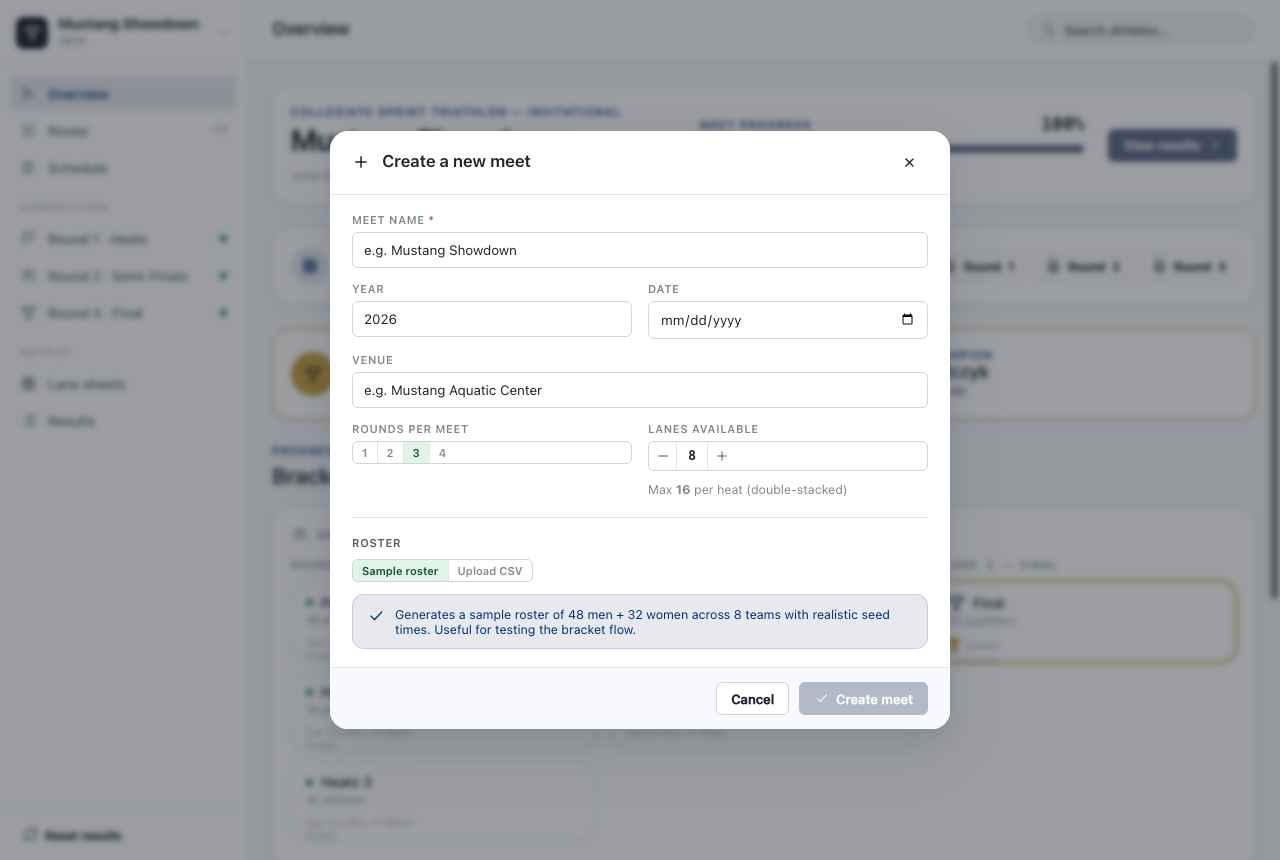
Old workflow: hard‑coded assumptions, one script per gender, and a roster you loaded blind. New workflow: a Create a new meet dialog where you name the event, set the year, date, and venue, choose how many rounds the meet runs, declare how many physical lanes the pool has, and either load a sample roster or upload your own CSV.
The roster still drives everything, and athlete search is still there — but it's now a global search bar at the top of every screen rather than a separate utility.
Heat layout: then and now
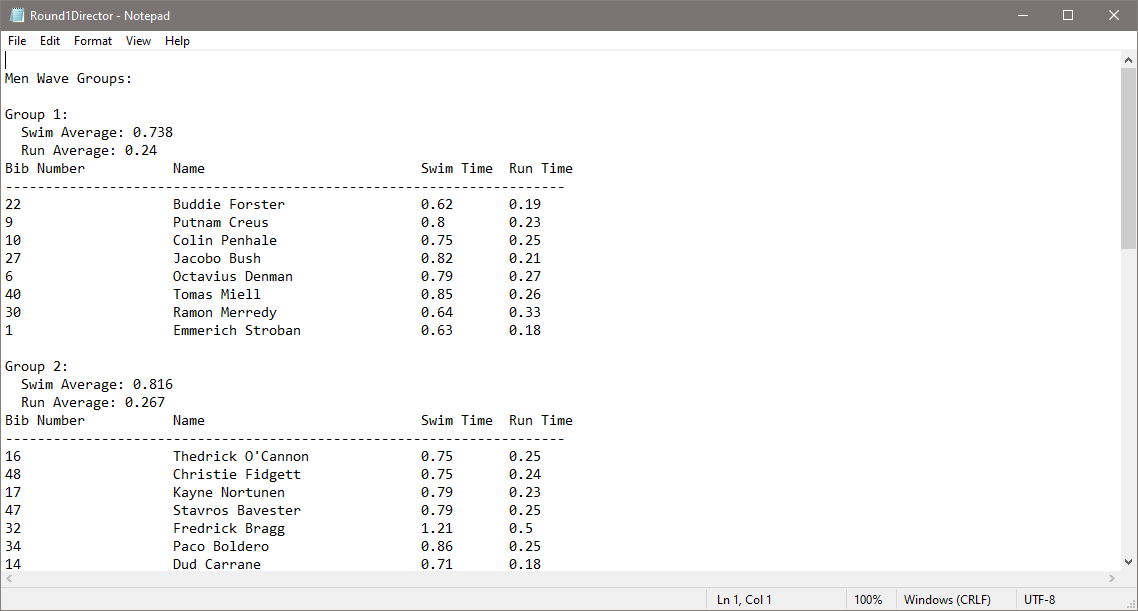
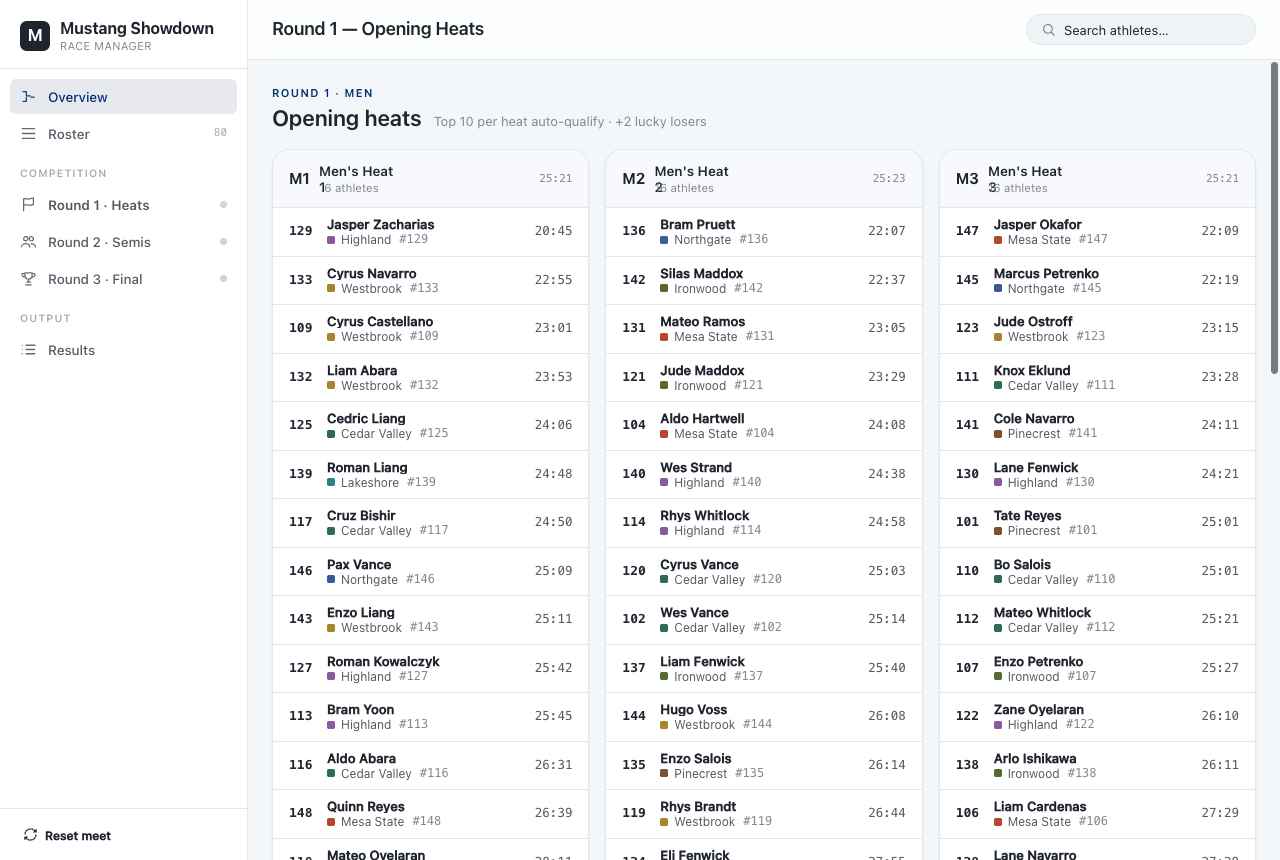
In Round 1, heats are still created in advance so participants know their starting groups, and they're still balanced by combined swim+run seed time. Under the hood the balancing got smarter: the app seeds athletes with a serpentine (snake) draft and then runs a greedy pairwise‑swap optimizer that keeps swapping athletes between heats until no swap can bring the heat averages any closer together — driving the spread of heat averages down from seconds to fractions of a second, all while keeping heat sizes equal.
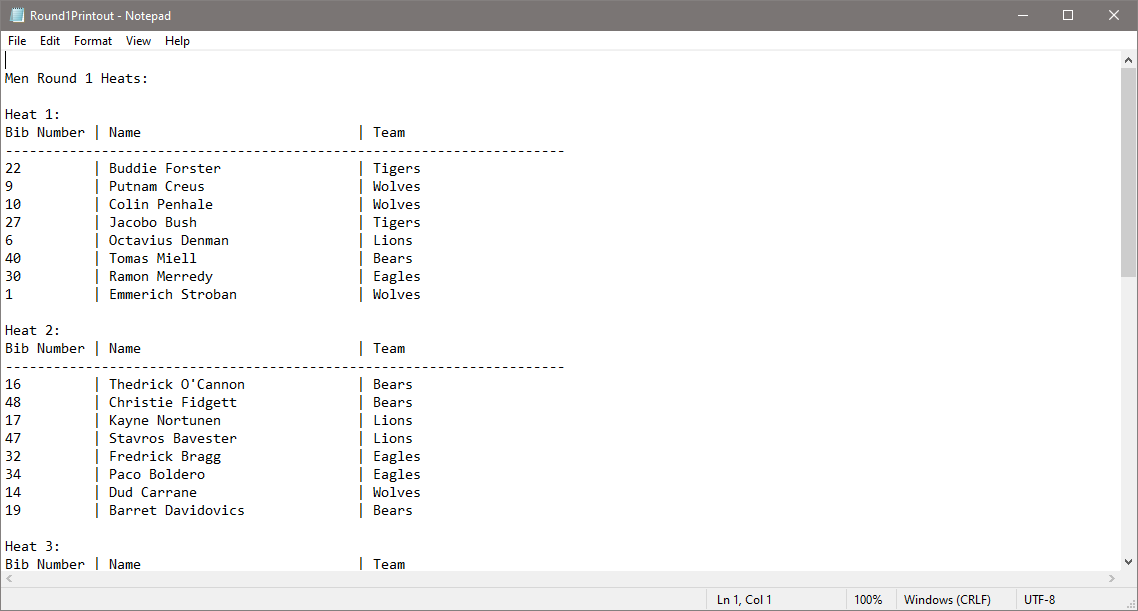
Here's the original Tkinter heat layout next to the new one:
Entering results: from manual review to a live finish line
The old program had you enter finish‑line bib numbers, then showed them in a popup table for manual review and corrections. That core idea survives — but it's now a two‑step, much faster flow.
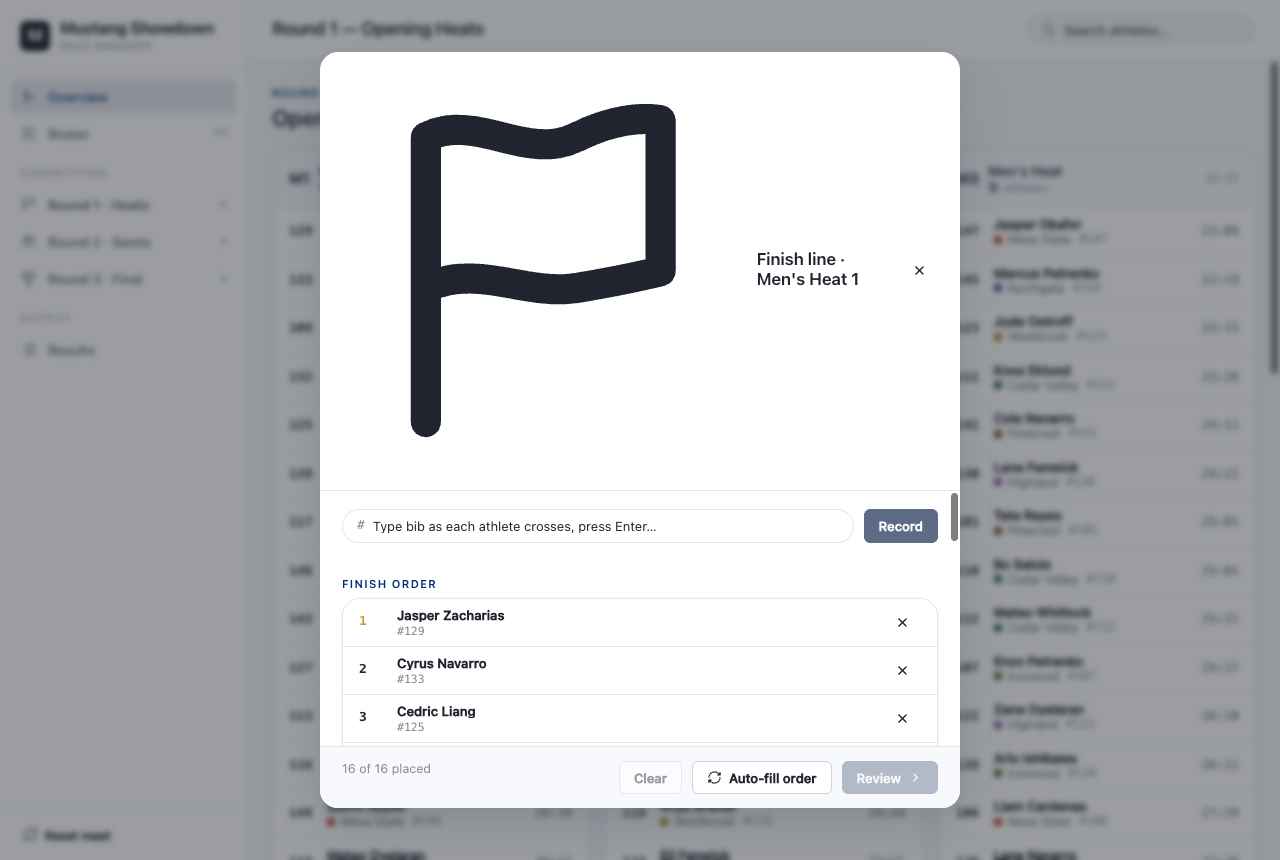
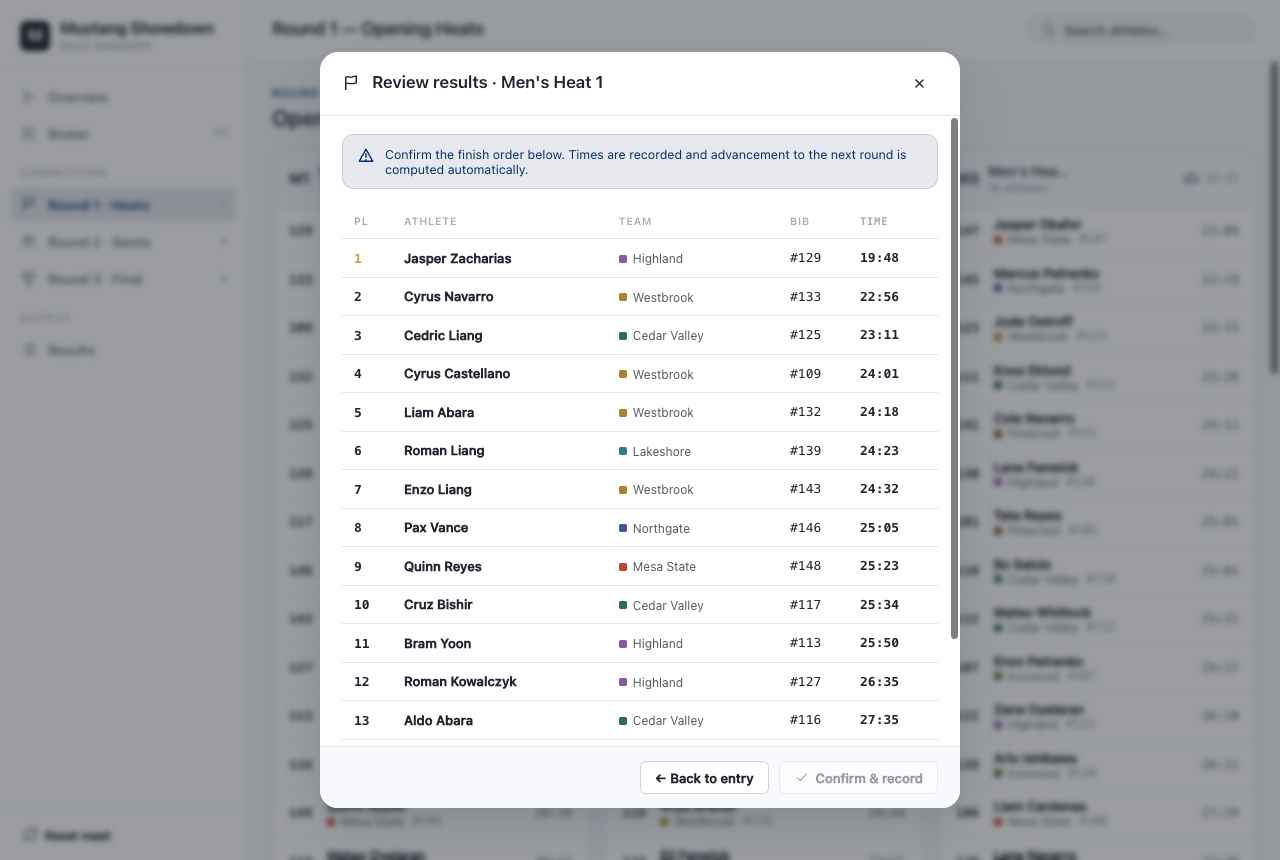
First, a live finish‑line entry panel: as each athlete crosses, you type their bib and press Enter, and the finish order builds in real time (with an auto‑fill option for testing). Then a review window shows the full finish order with names, teams, bibs, and times before anything is committed — confirm, and advancement to the next round is computed automatically.
One app, both divisions, any round structure
The old version split the work across separate men's and women's programs — and notoriously, the women's program couldn't properly load the heats the men's startup sequence generated. That whole class of problem is gone: men and women now live in one app, side by side on a single Overview, each with their own independently configurable schedule.
The old fixed rules — men in three heats advancing by top two‑thirds, women in two heats advancing by top half, men merging into a single final — are now just defaults you can change. The Schedule & Progression screen lets you set, per division, how many rounds run, how many heats each round has, how many finishers advance per heat, and how many "lucky losers" fill the remaining slots.
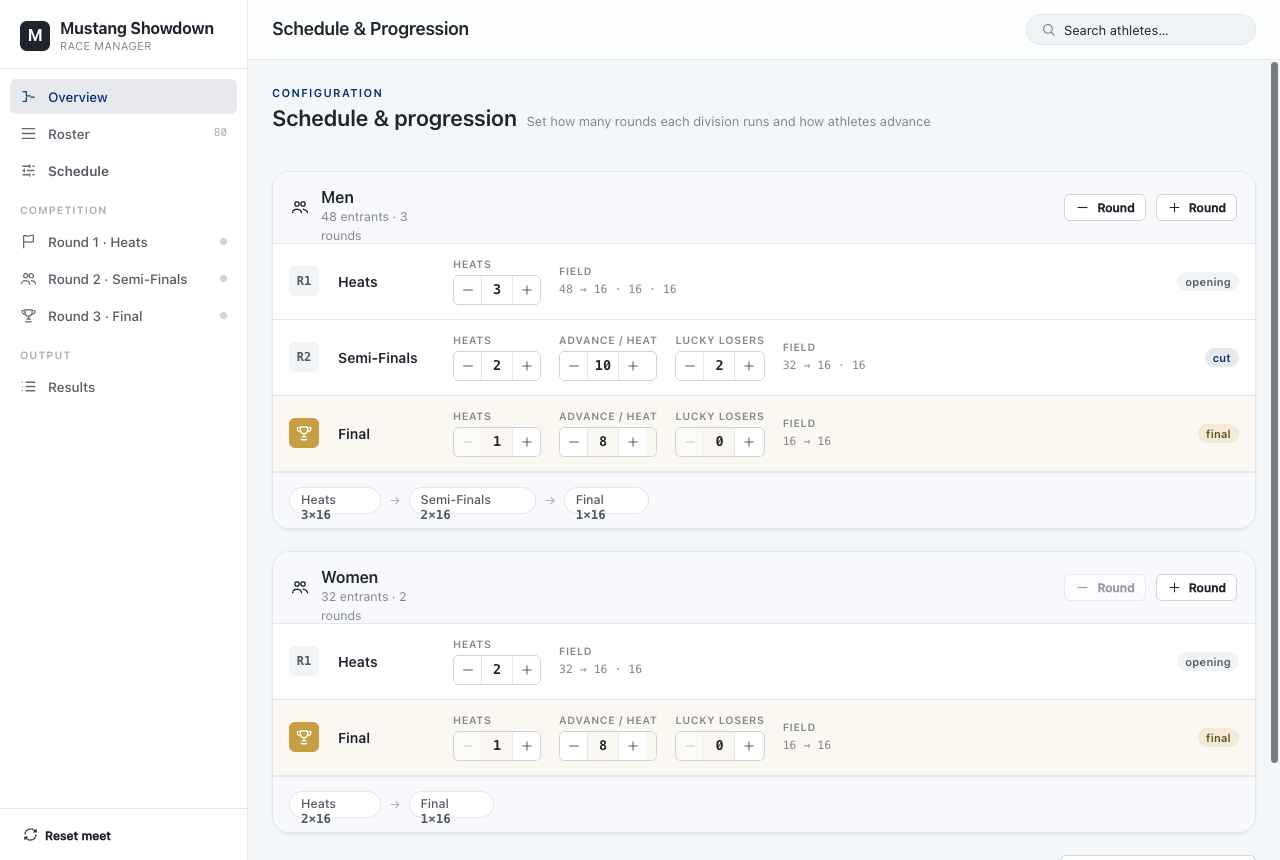
The two "lucky losers" rule from the original is still here — it's just one configurable number now instead of a hard‑coded assumption.
Lane sheets and double‑stacking
This is entirely new. Because the app now knows how many physical lanes the venue has, it assigns athletes to actual lanes — fastest seed to the center lane, alternating outward in the usual track convention. When a heat has more athletes than lanes, it double‑stacks into a first and second wave (Slot A / Slot B) rather than overflowing, and it flags any heat that's over capacity.

Fair progression that preserves lineage
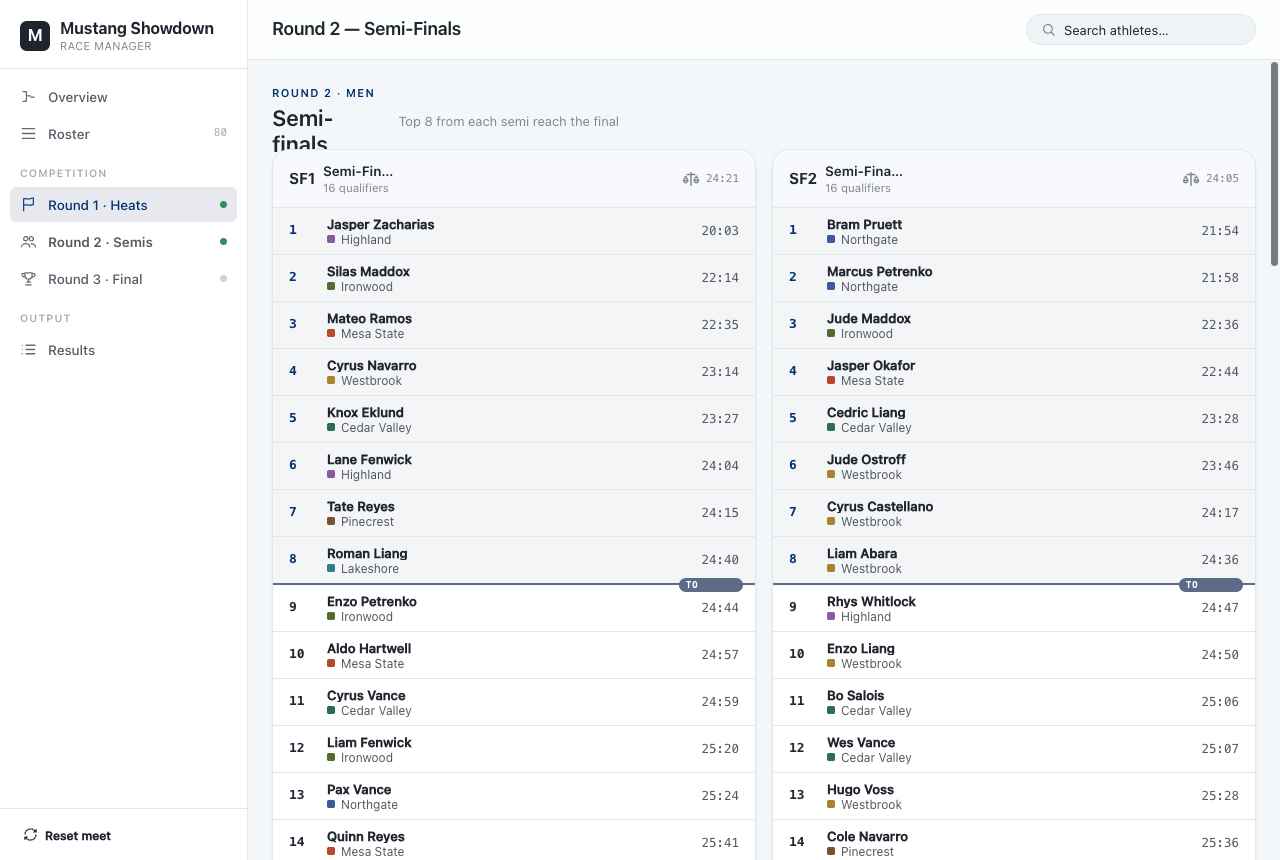
When athletes advance, the app doesn't just dump qualifiers into the next round at random. It uses a lineage‑preserving formation: racers from Heat 1 tend to stay together heading into the next round's Heat 1, and so on — so rest time between rounds is even — while still keeping the next round's heat sizes as equal as possible (never a lopsided 19 vs 21). Round 2 forms semi‑finals from Round 1, and Round 3 still merges the top finishers into a single men's final.
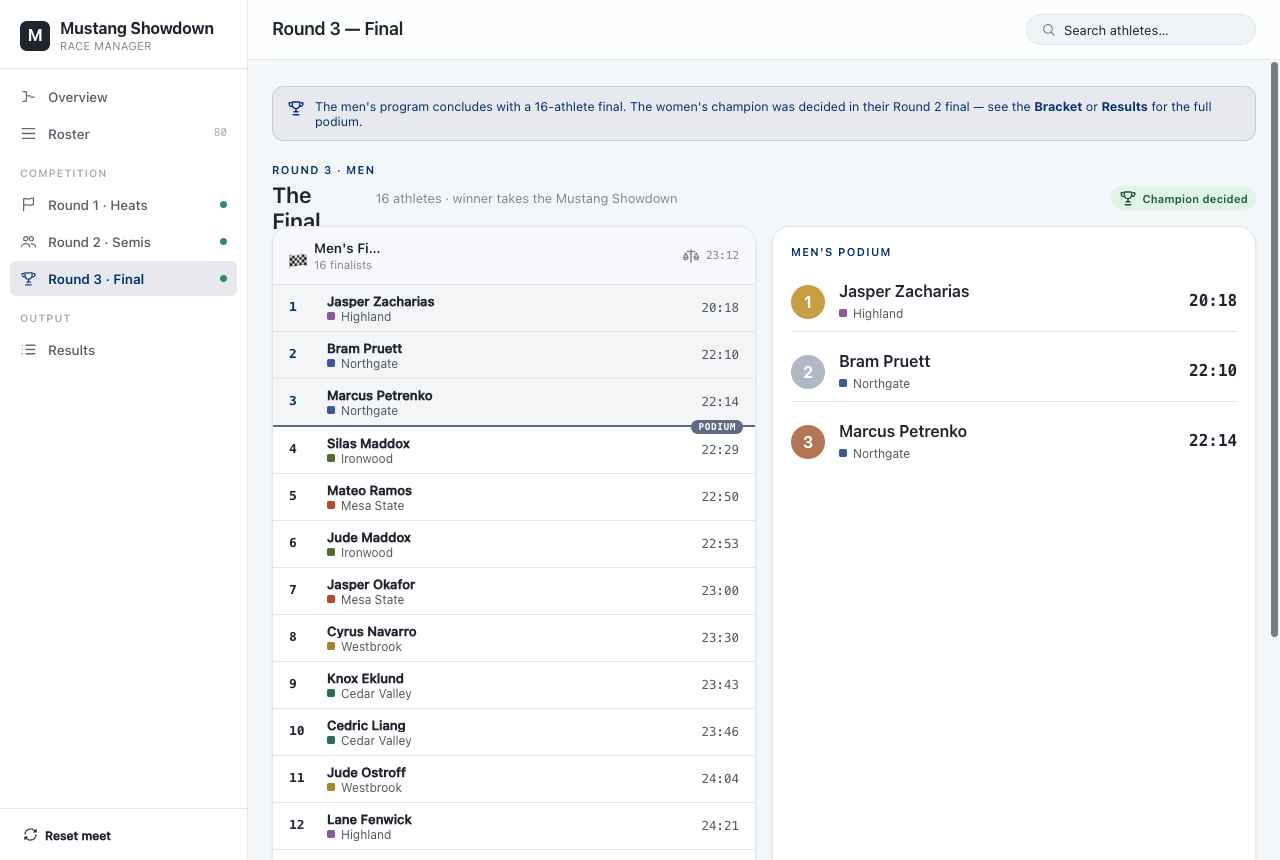
The final still crowns a champion — but now there's a proper podium view for it.
Everything at a glance
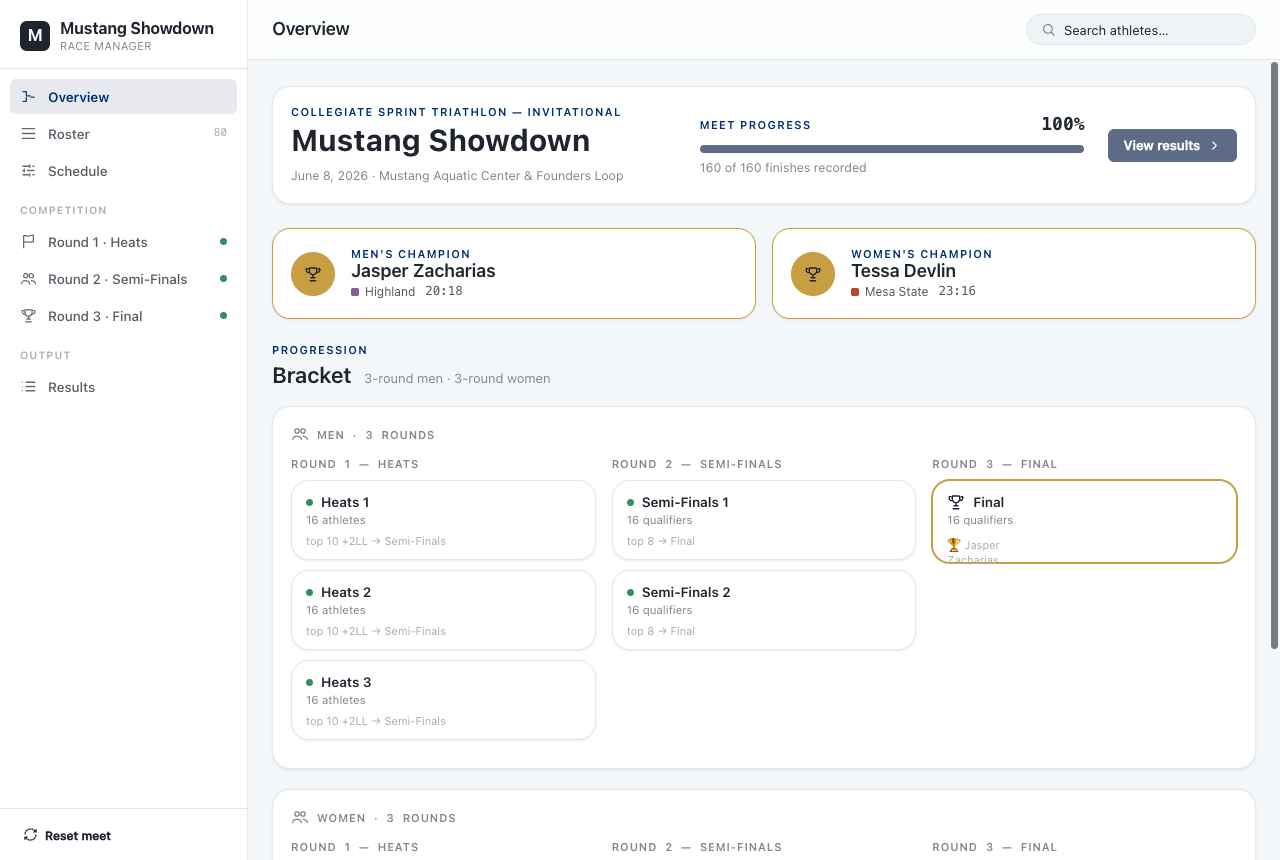
The Overview ties it together: meet progress (e.g. "160 of 160 finishes recorded"), the men's and women's champions, and a full bracket showing each division's path from opening heats through to the final.
The old issues — and where they stand now
The original post listed three known problems. Here's the scorecard:
- No way to handle a DNS/DNF (no‑show or did‑not‑finish). Fixed. Athletes now carry a status; anyone marked DNS/DNF is excluded from the finish ranking and won't be advanced.
- The women's program couldn't load the heats the men's startup generated. Fixed. There's only one program now — both divisions share the same meet, so there's nothing to load across apps.
- The save format didn't print clearly and had to be PDF'd first. Largely fixed. Results are presented in clean, structured on‑screen tables and lane sheets designed to print directly, alongside the existing text/CSV exports.
What's still on the roadmap
From the original future‑plans list, most items are now done — combining the men's and women's programs, being able to step away instead of keeping the program running the whole time (the app persists meets), and handling DNS/DNF. Still genuinely on the wish list:
- Record a finishing timestamp for each athlete to help with later results processing. This is challenging as the ideal method for finish timestamps would be to integrate it into the timing system used by the timing company. Many timing systems use different protocols and so making a generalized communication method between them at the moment is out of scope.
Both build naturally on the new live finish‑line entry — the hooks for time are already there.